Go to the blog entry at
http://northtexasvegetablegardeners.com/blog/2011/11/29/how-to-post-pictures-in-the-forum/ to view these instructions in a nicer format
---
Posting pictures in the forum is easy, here is how to do it:
Step 1Log in with your username and password (have to be logged in as a real user before you can post anything)
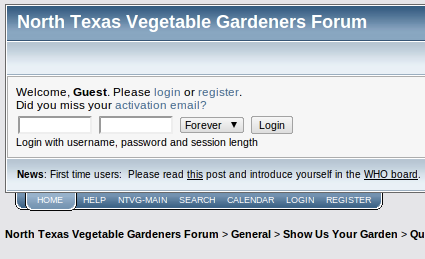 Step 2
Start a new post or reply to a post by pressing the 'New Topic'

or 'Reply'

button.
Step 3Choose a method for inserting pictures into the body of the post:
- Method A (simpler, limited in picture size and number of pictures) - upload the picture to the forum
- Method B (more steps, more versatile, unlimited resolution and quantity) - upload to webhost and embed link
Step 3A1Press the 'Additional Options' button near the bottom of the text entry box.
 Step 3A2
Press 'Choose File' button to upload your picture. Note that the file size must be small, and that it only lets you attach a few pictures to each post. My favorite programs for re-sizing pictures are
irfanview and
picassa. Sizing your images to less than 600 pixels will usually make the file size small enough.
 Step 3B1
Upload your pictures to a hosting service or server of your choice. (I like
picassaweb best)
Step 3B2Copy the link to the file and paste it in the body of the forum post. (the link must be
THE FILE, and not to a webpage, you can tell it is a file because it will end in .jpg, .gif, or .png and look like
http://somewhereontheweb.com/somefolder/somefilename.JPG) (from picassaweb, the link is found by clicking on the 'link to this photo' and checking 'Image only - no link')
Step 3B3Highlight the link to your picture in the body of the forum post and press the 'IMG' button

which adds the proper
BBcode to the link so that the forum software will display the picture instead of displaying the link to the picture.
Step 4Press the 'Post' button

to publish. The end!


