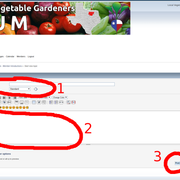
How to Create a New Post on the NTVG forum website:
step 1-
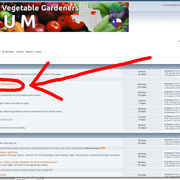
Click on a board you want to post in (a good place to introduce yourself is the "Who" board, circled in red in the picture below)
step 2-
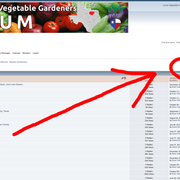
Click on the "New Post" button. (If you don't see this button, verify you are logged in as a user -- you will see your name and picture (if you uploaded one to your profile) at the top of the page)
step 3-
give your post a title, then type your text in the body, then hit the "post" button.